วิดีโอยาวเข้า · Shorts ออก
อัตโนมัติ Video Clipping Tool ขับเคลื่อนด้วย AI
Zero manual editing. Fully automated workflow. เปลี่ยนวิดีโอยาวเป็น ready-to-post clips instantly.
วิดีโอยาว
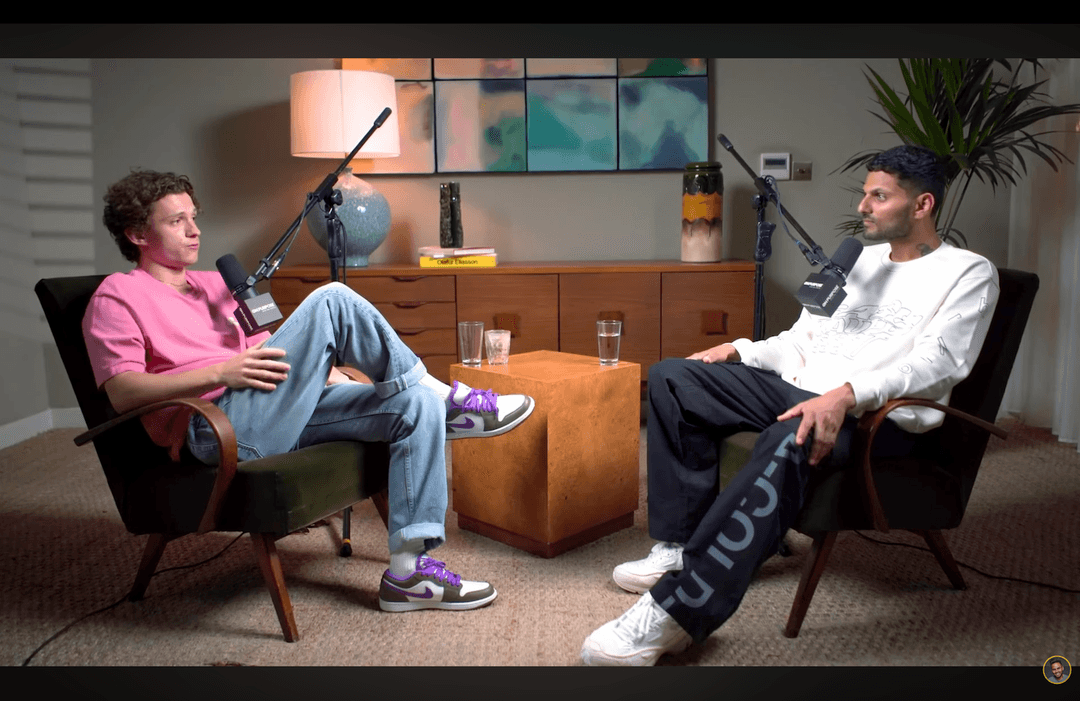
ตัดคลิปด้วย CrabCut




วิธีการทำงาน
From วิดีโอยาว to sharper, ready-to-post Shorts in five steps.
Workflow
01
Transcribe
We transcribe your วิดีโอ with high accuracy in 16+ languages.
Why Manual Clipping is a Pain
Stop wasting hours on tasks that AI can do in seconds.
Time Consuming
It takes 1-2 hours to watch, edit, and caption a single short clip manually. That's time you could spend creating new content.
Requires Skills
You need to learn complex software like Premiere Pro or DaVinci Resolve just to make simple cuts and add ซับไตเติล.
Hard to Find Highlights
Rewatching your own content to find "viral moments" is exhausting and biased. It's hard to be objective about your own วิดีโอ.
The Automated Workflow
AI Analysis
Our engine scans for speech patterns, laughter, and high-engagement keywords.
Smart Selection
The algorithm scores every moment and selects only the top 5% most viral clips.
Instant Generation
Clips are cut, captioned, and formatted for vertical screens automatically.
What We Automate For You
Built For Automated เติบโตth
Non-Editors
You're a ครีเอเตอร์, not an editor. Focus on recording great content and let automation handle the technical post-production.
Busy Creators
Already posting daily? Automate your repurposing workflow to 10x your output without adding hours to your workday.
เอเจนซี
Service more clients with less staff. Use automated clipping to deliver dozens of assets per client in นาที.
The Automation Advantage
| Criteria | Manual Editing | อัตโนมัติ Clipping |
|---|---|---|
| Time Per Clip | 30-60 Minutes | < 2 Minutes |
| Cost per Month | $2,000+ (Editor) | Free / Low Cost |
| Skill Required | High (Pro Software) | None (Zero Click) |
| Consistency | Variable | Always Perfect |
พร้อมลองไหม เริ่มทำคลิปฟรีได้เลย
เริ่มใช้ฟรีThree things. Done well.
A focused tool that clips, คำบรรยาย, and reframes. Built for solo ครีเอเตอร์.
Reframing that actually tracks faces
Multi-speaker podcast? We follow whoever's talking. Single host moving around? We stay locked on. No clipped foreheads, no jaw-cut edges.
คำบรรยาย in 16+ languages
Animated, accurate, customizable. Pick fonts, colors, position, and animation style. Keyword ไฮไลต์ing and emoji auto-placement included.
Your brand, every clip
Add your logo, fonts, and colors. Save style presets per channel. Every clip exports looking like yours.
คำถามที่พบบ่อย
Is it really 100% automatic?
Can I customize the clips if I want to?
What kind of วิดีโอ work best?
Does it work with Zoom recordings?
Related resources
Keep exploring CrabCut workflows
AI Video Clipper: โดยอัตโนมัติ Turn Long Videos into...
AI Video Clipper that finds ไฮไลต์ and creates short clips automatically. เปลี่ยนวิดีโอยาวเป็น TikTok, Reels, and Shorts in นาที.
Open pageFree AI Video Clipper | 60 Min Free Every Month
Free AI วิดีโอ clipper with 60 นาที per เดือน. No เครดิต card, เปลี่ยนวิดีโอยาวเป็น short clips with คำบรรยาย.
Open pageAI Clip Generator: Generate Viral Video Clips...
AI clip generator that finds the best moments and turns them into short, shareable วิดีโอ clips. Generate viral content in seconds.
Open pageAI Highlights Generator: Find the Best Moments in Your...
AI ไฮไลต์ generator that automatically finds the most engaging moments in วิดีโอยาว. สร้าง viral clips from your best content instantly.
Open pageAI Clips for ผู้สอน & Coaches: Turn Lessons...
AI clips for ผู้สอน, coaches, and course ครีเอเตอร์. Turn long lessons and courses into short, engaging วิดีโอ clips that boost retention.
Open pageAI Clips with คำบรรยาย: Generate Viral Clips with...
Generate short-form วิดีโอ clips with eye-catching AI คำบรรยาย. The combined power of AI clipping and dynamic ซับไตเติล for social media growth.
Open pageAutomate Your Shorts Channel
อัปโหลด one วิดีโอ, get 10 viral clips. Stop editing manually today.
Try อัตโนมัติ Clipping