วิดีโอยาวเข้า · Shorts ออก
AI Clips with Dynamic คำบรรยาย
The ultimate viral content formula. Our AI finds your best moments and adds stunning, engagement-optimized คำบรรยาย automatically.
วิดีโอยาว
ตัดคลิปด้วย CrabCut




วิธีการทำงาน
From วิดีโอยาว to sharper, ready-to-post Shorts in five steps.
Workflow
01
Transcribe
We transcribe your วิดีโอ with high accuracy in 16+ languages.
Captivate Your Audience
A great clip isn't enough. About 80% of social media วิดีโอ are watched on mute. คำบรรยาย keep viewers engaged even without sound. Our AI handles clipping and captioning at the same time.
Visual Storytelling
Dynamic คำบรรยาย emphasize key words and phrases, making your message clearer and more impactful visually.
Accessibility Built In
คำบรรยาย make your content available to deaf and hard-of-hearing viewers, and anyone scrolling without sound. Support for 16+ languages.
The Viral Clip Machine
Professional editing quality in just three clicks.
1. AI Highlight Scan
AI finds the most engaging parts of your วิดีโอยาว.
2. Dynamic Styling
Auto-generated คำบรรยาย with viral animation styles.
3. One-Click Export
ดาวน์โหลด multiple clips ready for social dominance.
Creator-Inspired Styles
Hormozi Style
Bold, two-tone text with high contrast and impactful ไฮไลต์.
Minimalist Pro
Clean, elegant คำบรรยาย for corporate and educational content.
Neon Hype
Glowing text with rapid animations for gaming and hype clips.
Built for Maximum Reach
Save Professional Costs
Get editor-level quality without the $100/clip price tag.
Lightning Fast
From raw วิดีโอ to finished clips with คำบรรยาย in just a few นาที.
High Retention
Visual คำบรรยาย keep viewers hooked until the very last second.
พร้อมลองไหม เริ่มทำคลิปฟรีได้เลย
เริ่มใช้ฟรีThree things. Done well.
A focused tool that clips, คำบรรยาย, and reframes. Built for solo ครีเอเตอร์.
Reframing that actually tracks faces
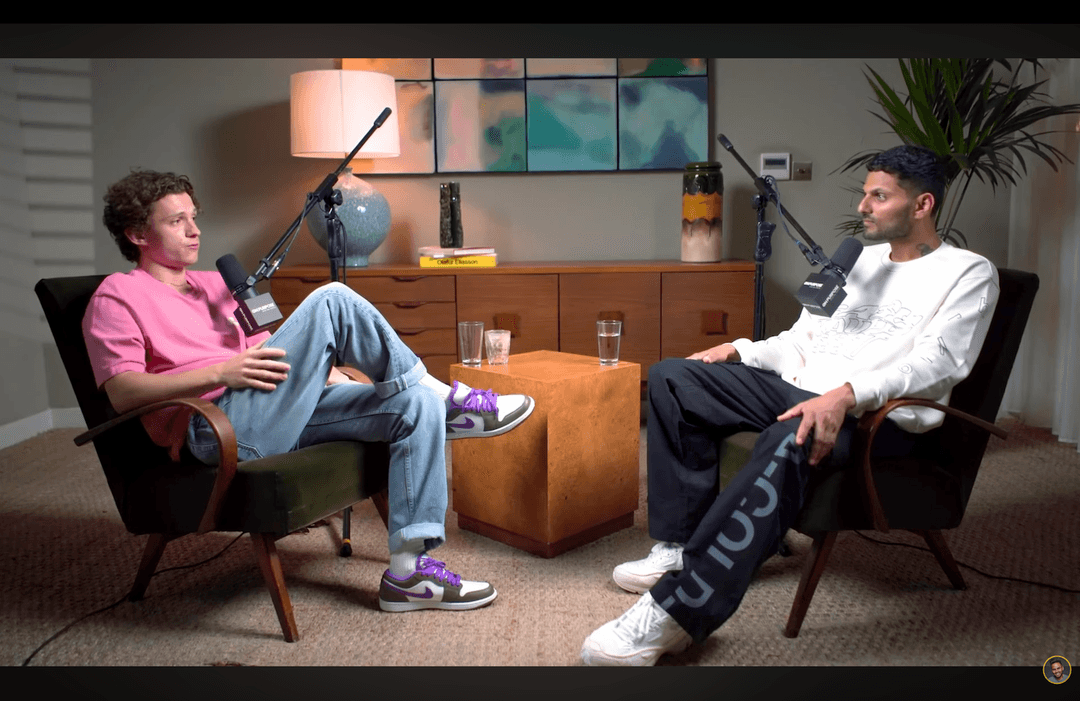
Multi-speaker podcast? We follow whoever's talking. Single host moving around? We stay locked on. No clipped foreheads, no jaw-cut edges.
คำบรรยาย in 16+ languages
Animated, accurate, customizable. Pick fonts, colors, position, and animation style. Keyword ไฮไลต์ing and emoji auto-placement included.
Your brand, every clip
Add your logo, fonts, and colors. Save style presets per channel. Every clip exports looking like yours.
คำถามที่พบบ่อย
How does the AI choose what to clip?
Can I edit the คำบรรยาย manually?
What caption styles are available?
Does it work for long podcasts?
Related resources
Keep exploring CrabCut workflows
AI Video Clipper: โดยอัตโนมัติ Turn Long Videos into...
AI Video Clipper that finds ไฮไลต์ and creates short clips automatically. เปลี่ยนวิดีโอยาวเป็น TikTok, Reels, and Shorts in นาที.
Open pageFree AI Video Clipper | 60 Min Free Every Month
Free AI วิดีโอ clipper with 60 นาที per เดือน. No เครดิต card, เปลี่ยนวิดีโอยาวเป็น short clips with คำบรรยาย.
Open pageอัตโนมัติ Video Clipping Tool: สร้าง Clips Without...
อัตโนมัติ วิดีโอ clipping tool powered by AI. No timelines, no manual cuts. Generate clips instantly.
Open pageAI Clip Generator: Generate Viral Video Clips...
AI clip generator that finds the best moments and turns them into short, shareable วิดีโอ clips. Generate viral content in seconds.
Open pageAI Highlights Generator: Find the Best Moments in Your...
AI ไฮไลต์ generator that automatically finds the most engaging moments in วิดีโอยาว. สร้าง viral clips from your best content instantly.
Open pageAI Clips for ผู้สอน & Coaches: Turn Lessons...
AI clips for ผู้สอน, coaches, and course ครีเอเตอร์. Turn long lessons and courses into short, engaging วิดีโอ clips that boost retention.
Open pageเริ่ม Scaling Your เติบโตth
Combine the power of AI clipping and dynamic คำบรรยาย to dominate every social platform.
เริ่มใช้งานฟรี